

.png)


SoftwareX • Smartsheet Aligned Platinum Partner
2025 Technology Innovation Award • SOC 2 Type II Certified
Real results from real teams
Everything that we were trying to do previously has now been automated and we don’t have to do it manually.

Samantha Leader
Director of IT Projects and SaaS Operations
Sprague Energy
With the connector drawing data automatically from Azure DevOps into Smartsheet, there’s essentially no effort involved.

Mark Fantasia
Vice President of the PMO
Stonewall Solutions
Who it's For
Built for the teams that live in Smartsheet - and the ones who live in Azure DevOps
PMO / Project Managers
Keep project plans current without chasing updates from engineering so you can achieve stronger visibility and faster stakeholder reporting.
Engineering Teams
Connect work item progress to business-facing planning systems so there's fewer interruptions and less manual status work.
IT & Operations
Monitor delivery health and cross-functional dependencies in Smartsheet so you can make confident operational decisions backed by dependable reporting.
Key Features
Changes Sync Both Ways Automatically
Keep Smartsheet and Azure DevOps automatically aligned with one-way or bi-directional updates.
No Code to Write or Maintain
Connect systems using a no-code interface designed specifically for Smartsheet users.
Eliminate Manual Data Work
Automate repetitive data entry and reporting so teams stay aligned without manual effort.
Scale Integrations with Confidence
Securely expand integrations across teams and projects with support for Smartsheet Control Center.

Works with your custom Azure DevOps process and fields
Where Smartsheet and Azure DevOps finally stay aligned
The Gap
PM Updates Smartsheet.
Devs updates Azure DevOps.
Nobody knows the real status.
The Outcome
Azure DevOps Connector keeps everyone aligned where they work.
Automatically.

Plan projects
without guesswork
Keep project plans current without chasing updates from engineering so you can achieve stronger visibility and faster stakeholder reporting.

Track Work Item
details from ADO
Sync features, milestones, and defects into Smartsheet to give stakeholders instant visibility into release progress and risks.

Create one source
of truth in Smartsheet
Unify DevOps and business reporting so teams stop chasing updates and start making decisions with accurate, shared data.

Easily map fields to Smartsheet columns and control data flow direction
Start Your Free Trial Today


How it Works
Sign in with Smartsheet
Smartsheet users can access Unite and get started instantly by logging in with their Smartsheet credentials.

Connect to Azure DevOps
Select the Azure DevOps Connector from the list of available system integrations and authenticate your account to begin syncing data.

Create
Your Workflow
Choose your Smartsheet sheet and Azure DevOps project, then map fields across your Work Item hierarchy.
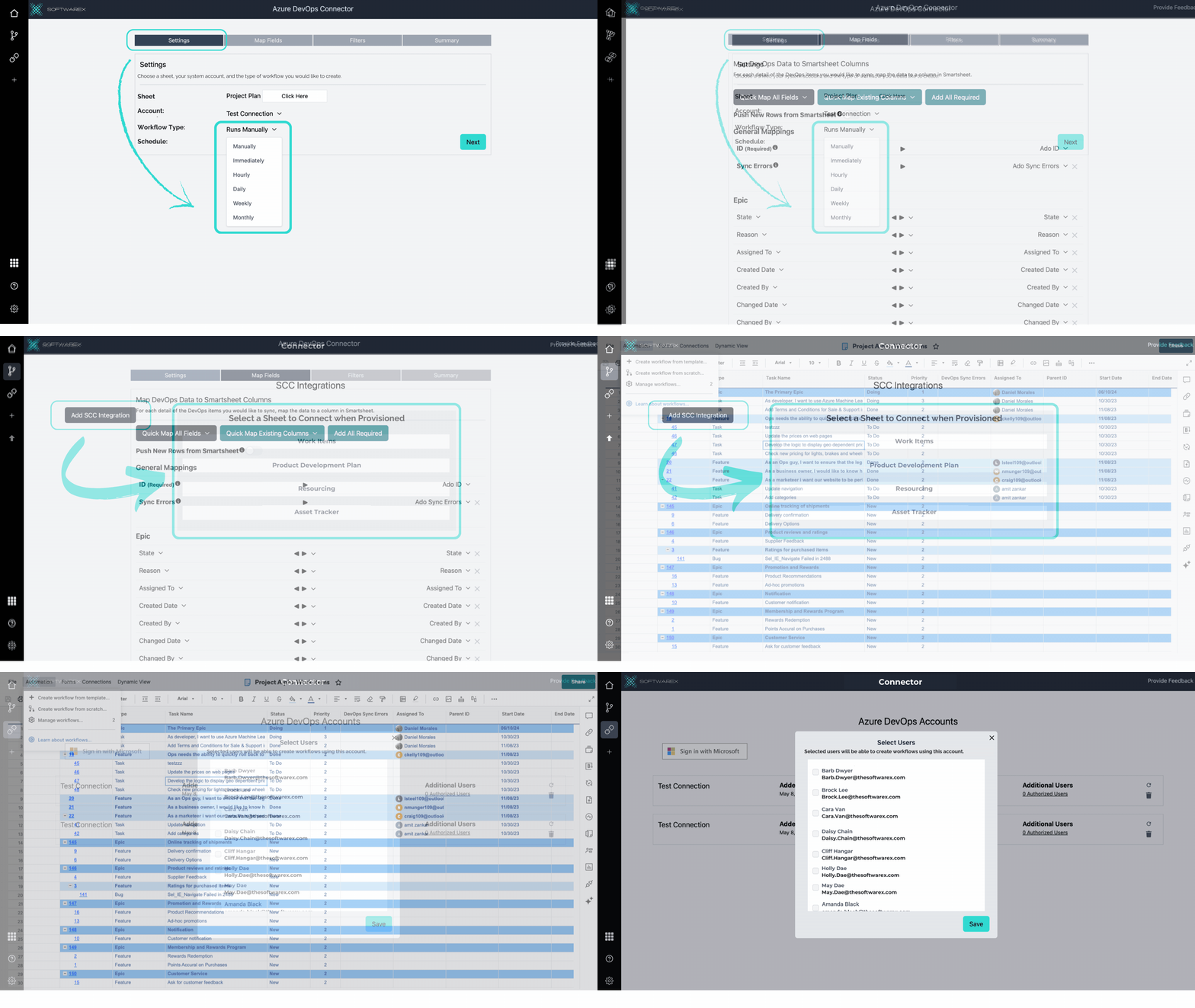
Work Where You Work
Keep Smartsheet and Azure DevOps in sync so every team stays aligned in their preferred systems without switching tools.

Skip the engineering backlog and launch faster
Capability | Azure DevOps Connector | Custom Built Integration | Zapier | Power Automate |
|---|---|---|---|---|
Workflow visibility & logs | Built-in logs, easy troubleshooting | Custom logging dev required | Limited logging | Available but technical |
Field mapping experience | Simple, no-code, Smartsheet-first | Manual dev work | Basic, step based | Complex, logic-heavy |
Custom DevOps process support | Yes - out of the box | Yes (if developed correctly) | Limited | Moderate |
Built for Smartsheet solutions | Yes - designed specifically for Smartsheet users | No | No | No |
Time to live integration | Minutes | Weeks to Months | Hours | Days |
